
Create an API key
In this article
An API key lets another system of yours (an ERP, a dispatch system, a script) query or update your fleet.
Before you start
- You need the Administrator role.
- The key is used only from a server, because requests from a browser are refused.
Steps
- Open your user menu and go to My account.
- Under Developers, open API keys.
- Tap Create key.
- Type a Name that says which system will use it, for example "Dispatch ERP".
- Choose the Access.
- With Read only, the system queries devices, positions, reports and geofences.
- With Read and write, it also creates and changes devices, geofences, drivers, groups and maintenance.
- If you chose Read and write and the system has to send orders to the units, such as asking for the position, turn on Send commands. A key cannot send risky commands, such as cutting the engine, because those are only sent from the app and with a person's confirmation.
- Choose the Expiration, which can be 30, 90 or 180 days, 1 year or Does not expire. If you leave it as is, the key expires after 90 days.
- Tap Create key.
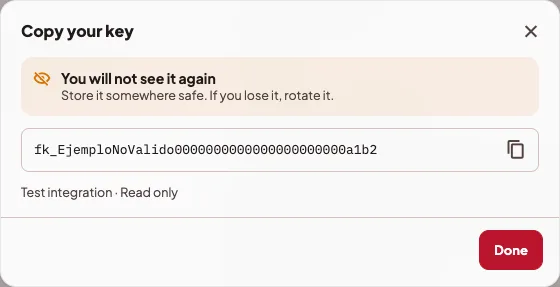
- Tap Copy key and keep it somewhere safe. The app warns you with You will not see it again, because once that window closes the key is not shown again.
Use it
How to use it has the Base URL and an example. The key goes in the Authorization header, like this:
curl <Base URL>/api/devices \
  -H "Authorization: Bearer <your key>"
View documentation opens the API reference, if your installation has it.
Rotate or revoke
- Rotate creates a new key. The old one keeps working for 7 days, so you have time to change it in your system.
- Revoke turns it off right away, and this cannot be undone.
In the list you see when each key was Used … and when it expires. Revoked and expired keys are in Revoked and expired (…).
If something goes wrong
- "You already have 25 active keys, which is the limit. To create another, first revoke one you no longer use."
- "Only an active key can be rotated." Expired or revoked keys cannot be rotated. In that case, you can create a new one.
- A key that "Does not expire" stopped working. A key without an expiration is revoked automatically if a year goes by without it being used. The list shows it as Revoked after a year unused, and you can create a new one.